

How to Program the Chamberlain KLIK5U Universal Remote Control
Complete Guide for Setup, Compatibility, Troubleshooting, and More
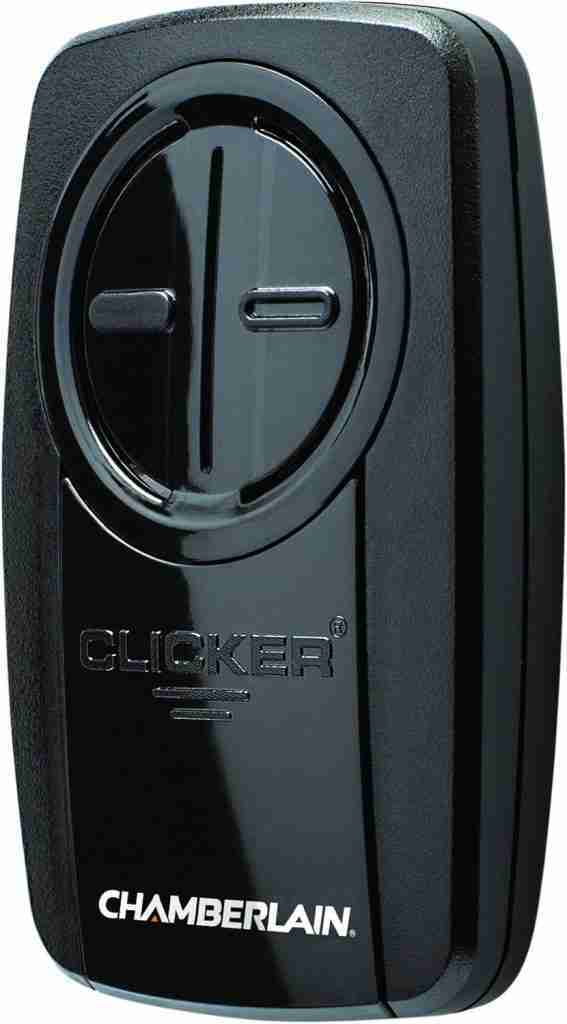
The Chamberlain KLIK5U is a universal garage door remote designed for simplicity, versatility, and wide compatibility. Whether you’re replacing a lost remote or want the convenience of multiple door control in one device, the KLIK5U is one of the best solutions on the market. In this blog post, we’ll walk you step-by-step through programming the KLIK5U to your garage door opener, what to do if it doesn’t work right away, and pro tips to ensure long-lasting functionality.
🔍 What Is the Chamberlain KLIK5U?
The Chamberlain KLIK5U Universal Remote Control is a two-button, visor-style remote that can be programmed to control up to two different garage door openers or gate systems. It’s compatible with over 90% of garage door opener brands in North America, including:
This remote supports both rolling code and fixed code technologies, making it a reliable replacement for most older and newer models alike.
📦 What You’ll Need Before Programming
Before diving into programming, make sure you have the following:
- A KLIK5U universal remote (ensure the battery is working)
- Your garage door opener brand and model for reference
- Physical access to the garage door opener (usually mounted on the ceiling)
- Knowledge of your opener’s “Learn” or “Smart” button location and color
- A ladder (if needed to reach the opener)
- A few minutes of uninterrupted time
🛠️ Programming Instructions for KLIK5U
There are two main programming methods, depending on the age and type of your garage door opener:
✅ Method 1: Programming with a LEARN or SMART Button (Most Common)
This is the most common method for modern garage door openers manufactured after 1993.
Step-by-Step:
- Locate the LEARN Button on Your Garage Door Opener
- It’s often located on the back or side of the motor unit under a light cover.
- The button color may be yellow, red/orange, purple, green, or black.
- The color indicates which technology your opener uses (see chart below).
- Press and Release the LEARN Button
- Pressing it will trigger the opener’s programming mode.
- The LED indicator near the button will light up and stay on for ~30 seconds.
- Press and Hold a Button on the KLIK5U
- Within 30 seconds of pressing the LEARN button, press and hold one of the two buttons on your KLIK5U.
- Keep holding until the garage door opener’s lights blink, or you hear two clicks.
- Release the Button
- Once the lights blink or you hear a click, let go of the remote button.
- Test the Remote
- Press the programmed button again to verify that the garage door opens or closes.
🔁 Method 2: Programming Using Brand Code (Press-Count Method)
This method is used if your opener doesn’t have a learn button or if you’re dealing with older models.
Step-by-Step:
- Access Programming Mode
- Remove the battery cover on the back of the KLIK5U remote.
- Press and hold the program button until the LED on the front lights up.
- Determine Your Brand’s Code
- Each opener brand requires a unique number of presses.
- Use the chart below to determine how many times to press the remote button.
- Press the Remote Button
- Press and release the remote button the number of times that corresponds to your garage door opener’s brand.
- Exit Programming Mode
- Press the program button again to save the code.
- The LED will turn off.
- Test Operation
- Stand a few feet from the opener and press the remote button to test door movement.
🧩 Compatibility Press Count Chart
| Garage Door Opener Brand | Learn Button Color | Remote Press Count |
|---|---|---|
| Chamberlain Security+ 2.0 | Yellow | 1 |
| Chamberlain Security+ | Purple | 2 |
| Chamberlain Security+ (Old) | Red/Orange | 3 |
| LiftMaster | Varies | 4 |
| Genie Intellicode | N/A | 5 |
| Overhead Door CodeDodger | N/A | 6 |
| Stanley SecureCode | N/A | 7 |
| Wayne Dalton Rolling Code | N/A | 8 |
| Linear MegaCode | N/A | 9 |
| Guardian / Xtreme Garage | Black | 10 |
| Sommer | N/A | 11 |
If unsure of your opener’s brand or model, consult your garage door opener’s manual or contact the manufacturer.
🧪 Troubleshooting Tips
Even with proper steps, things might not work right away. Here are some common issues and how to fix them:
❌ The Remote Isn’t Programming
- Make sure you press the LEARN button first, then hold the remote button within 30 seconds.
- Try again, ensuring you’re within range (~5–10 ft during programming).
🪫 Remote Isn’t Responding
- The battery could be weak or dead. Replace with a CR2032 coin cell battery.
- Ensure the remote is not already programmed with a different code.
🧲 Door Opens Randomly or Partially
- Interference from other electronics can affect performance. Try from a different location.
- Reset the remote and reprogram.
💡 Lights Don’t Blink
- Your opener may not provide visual confirmation. Listen for clicks or try operating the door after 60 seconds.
🔋 Battery Information
- Battery Type: CR2032 (3V coin-style lithium)
- To replace:
- Slide off the rear battery cover.
- Insert a new CR2032 battery with the + side facing up.
- Battery Life: Typically lasts 1–2 years with average use.
Tip: Always keep a spare CR2032 battery in your garage or glove box just in case.
📺 Visual Aid: Watch the Programming Video
For a step-by-step demonstration, click here to watch the official programming video. Seeing the process in action can make it easier to follow, especially if you’re unsure of what to look for on your garage door opener.
🧠 Pro Tips for KLIK5U Use
- The KLIK5U is perfect for families with multiple vehicles—one remote can control two separate garage doors.
- Works great for rental properties, vacation homes, or backup remotes.
- Always test the range and ensure proper operation before mounting it on your visor.
- Consider labeling the buttons if programming two different openers.
- Keep the remote dry and away from extreme temperatures for best performance.
🔚 Final Thoughts
Programming your Chamberlain KLIK5U universal remote is straightforward once you know your garage opener’s brand and model. With a little patience and the steps outlined here, you can enjoy seamless control over your garage doors or gates—without the hassle of carrying multiple remotes or dealing with outdated tech.
👨🔧 Need Help With Your Garage Door?
If you still can’t get your KLIK5U to work, your garage door opener may require service or replacement. A professional garage door technician can quickly identify issues with circuit boards, logic controls, or motor performance.
Let us know if you’d like assistance pairing your remote with a newer opener, or if you need a recommendation on upgrading your system.



