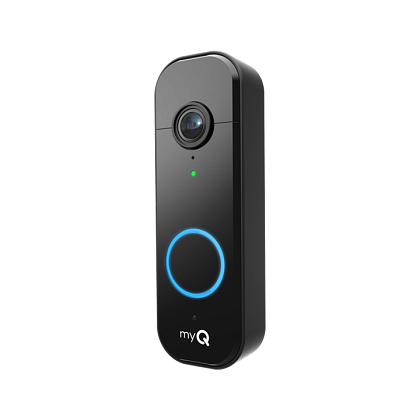
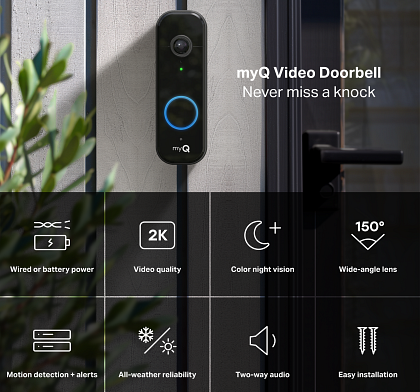
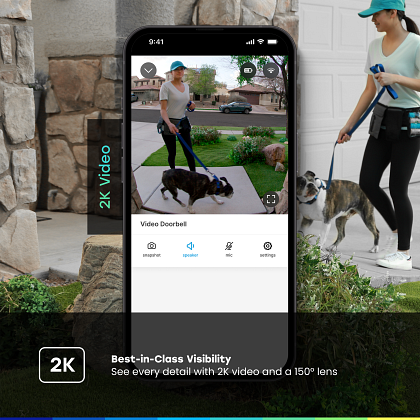
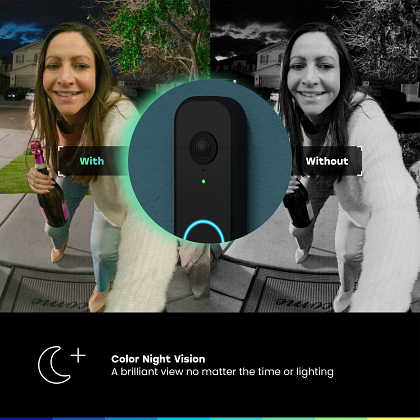
Best-in-class Visibility: See every detail with 2K video and a 150° lens. Color night vision keeps your view sharp around the clock.
Motion Detection: Get real-time alerts when motion is detected.
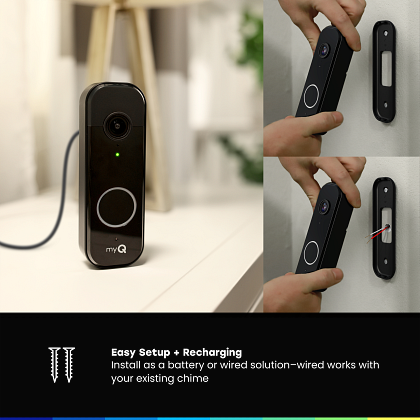
Easy Setup and Recharge: Install battery or wired. To recharge remove and plug in unit.
Stay Connected to Your Front Door: Get alerts when a person is detected.*
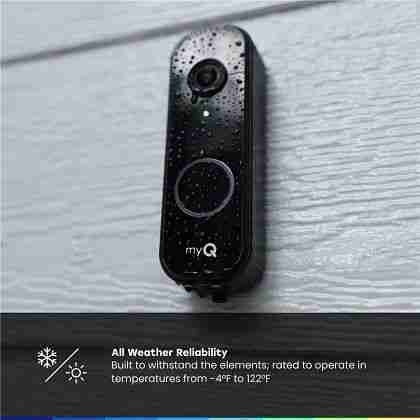
Extreme Weather Compatibility: Built to perform in extreme weather from -4°F to 122°F.
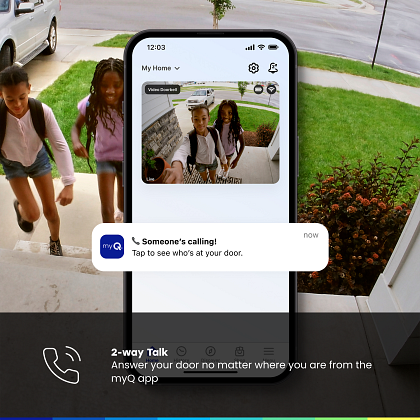
2-way Talk: Engage in two-way communication through the myQ app at any time, no matter where you are.
*Available with a Video Monitoring Plan (sold separately).
Features
2K Resolution & Color Night Vision: Crisp video, even in low light.
150° Wide Field of View: Covers porches and approach paths.
Two-Way Audio: Talk to visitors directly through the myQ app.
Motion Alerts: PIR motion detection sends instant notifications.
Smart Detection (optional): Person, animal, vehicle alerts with a myQ Video Monitoring plan.
Power Options: Use the rechargeable battery or hard-wire to existing doorbell wiring.
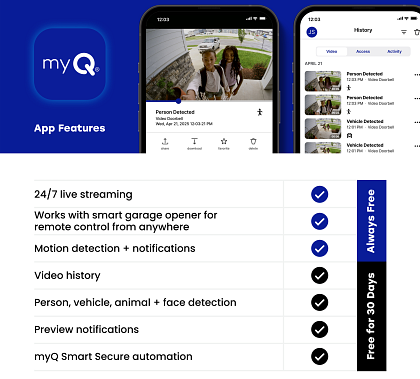
App Control: Live view, push alerts, and video history via the myQ app.
Durability: Weather-resistant, operates from -4°F to 122°F.
Compact & Easy Install: Small design, quick setup, 1-year warranty.
Compatibility
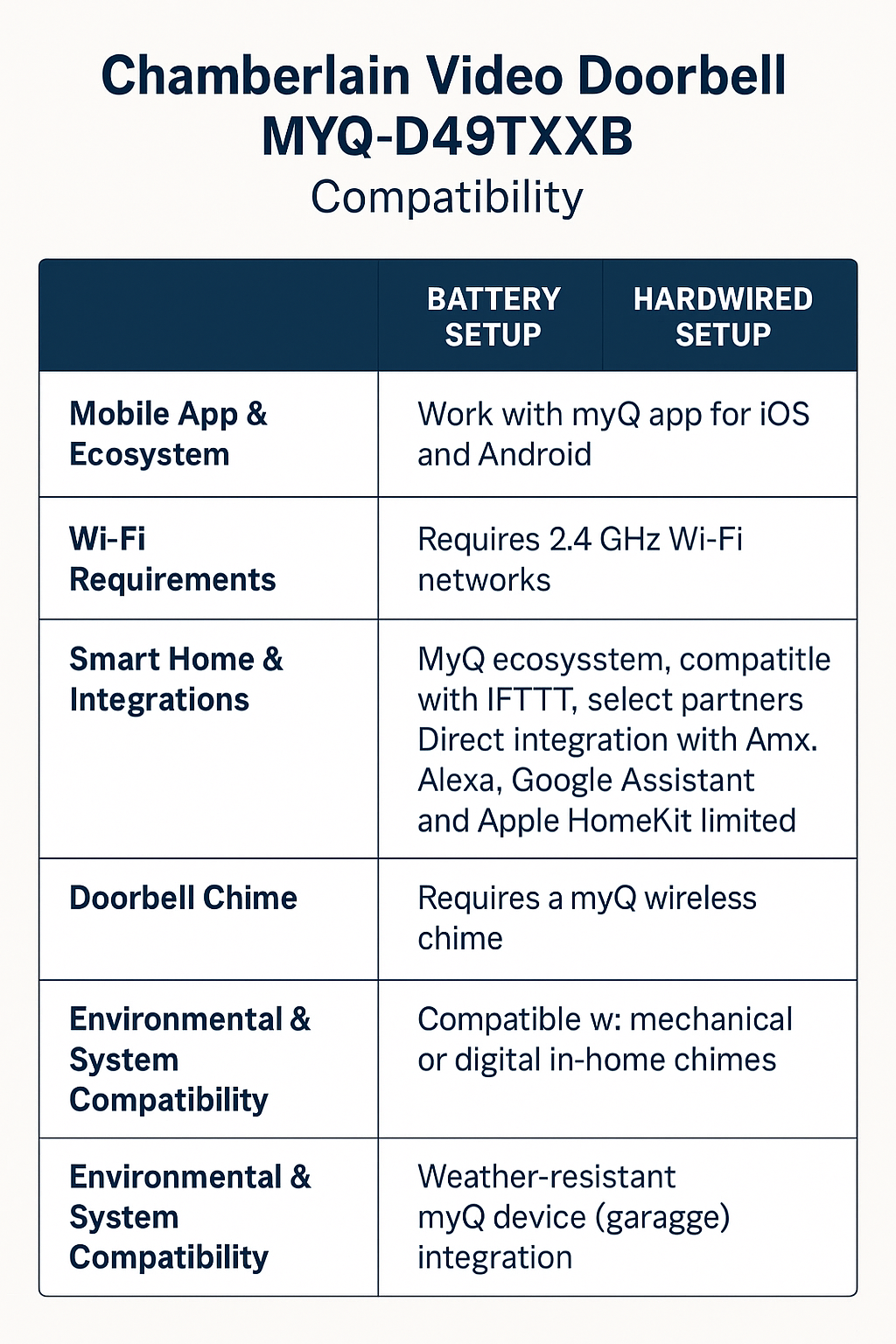
Chamberlain Video Doorbell MYQ-D49TXXB Compatibility
Mobile App & Ecosystem
The MYQ-D49TXXB is designed to work seamlessly with the myQ app on both iOS and Android devices. Through the app, you can access live video, receive instant motion alerts, use two-way audio, and manage notifications. Basic functions like live view and alerts work without extra cost, while advanced features such as cloud video history and AI-powered person/vehicle/animal detection require a myQ Video Monitoring plan subscription.
Wi-Fi Requirements
This doorbell operates exclusively on 2.4 GHz Wi-Fi networks. It does not support 5 GHz connections, so homeowners with dual-band routers should ensure the 2.4 GHz band is active and that the signal is strong at the installation location. A reliable Wi-Fi connection is critical for minimizing lag and ensuring smooth live streaming and notifications.
Smart Home & Integrations
The MYQ-D49TXXB integrates into the myQ smart ecosystem, which includes garage door openers, smart hubs, and cameras. For automation and broader smart-home compatibility, it supports IFTTT and select partner platforms, including Control4 and Crestron.
Direct integration with popular voice assistants, such as Amazon Alexa, Google Assistant, and Apple HomeKit, is more limited. While some myQ products previously offered direct Google Assistant support, Chamberlain has since restricted new connections, and Alexa/HomeKit support may require workarounds or partner solutions. Always verify the “Works With myQ” compatibility list before purchasing if voice control is a priority.
Doorbell Chime & Wiring Options
Hardwired installation: When connected to existing doorbell wiring (typically 16–24VAC), the MYQ-D49TXXB works with both mechanical and digital chimes, allowing homeowners to continue using their in-home chime.
Battery operation: When used as a battery-powered doorbell, it will not trigger standard household chimes. Instead, Chamberlain offers (or is introducing) a myQ wireless chime accessory designed specifically for battery setups.
Environmental & System Compatibility
The unit is weather-resistant and built to operate in temperatures ranging from -4°F to 122°F, making it suitable for most U.S. climates. It integrates smoothly with other myQ devices in the home, such as smart garage door openers, giving users a single app to manage entry points.
✅ In summary: The Chamberlain MYQ-D49TXXB is fully compatible with the myQ ecosystem and app, requires 2.4 GHz Wi-Fi, supports select smart-home platforms via IFTTT, works with existing mechanical/digital chimes when hardwired, and uses a dedicated wireless chime when battery-powered.
Setup & Support
Chamberlain myQ Video Doorbell (Model MYQ-D49TXXB) — Complete Guide
The Chamberlain myQ Video Doorbell is designed to bring convenience, security, and connectivity right to your front door. With features like two-way talk, smart notifications, and a flexible setup, it’s an excellent choice for homeowners seeking to enhance their entryway security. Below, you’ll find a comprehensive breakdown of what comes in the box, including setup instructions and tips on maximizing its features.
What’s in the Box
When you purchase the myQ Video Doorbell, you’ll receive everything you need to get started:
Video Doorbell unit
Flat mounting bracket
USB-A to USB-C charging cable
Two mounting screws with wall anchors
Two security screws
Hardware bag
Tip: If installing on stucco, brick, or concrete, you’ll need the included plastic anchors. For wood, the provided screws are sufficient.
Getting Started
Tools You’ll Need
Phillips #1 and #2 screwdrivers
Power drill with bits (3/32″ for pilot holes if wall anchors are used)
Smartphone with Wi-Fi, Bluetooth, and location services enabled
The latest version of the myQ app
Choose Your Installation Method
You can install the myQ Video Doorbell in two ways:
1. Wired Installation
Powered through existing low-voltage doorbell wiring (16–24VAC).
Triggers your existing mechanical or digital chime.
No battery charging required.
Requires disconnecting power during setup.
2. Wireless Installation
Powered by the built-in rechargeable battery.
It can be placed anywhere near your door where Wi-Fi is strong.
Does not trigger existing wired chimes.
Requires charging with the included USB-C cable.
Recommended mounting height is 48–50 inches above the ground.
Charging the Doorbell
Before first use:
Pull back the rubber flap to access the USB-C port.
Plug in the charging cable (USB-A power adapter not included).
Charge for 4–6 hours, ideally overnight.
The LED will glow solid green when fully charged.
Charging is required for wireless installations, but wired installations should also be fully charged before setup.
Connecting to the myQ App
Hold the reset button until the LED glows solid blue.
Once the LED blinks blue, pair the doorbell with your phone via Bluetooth.
Open the myQ app and add the doorbell under device management.
When connected, the LED will glow solid green.
Installation
Wired Installation Steps
Turn off the power to your doorbell circuit.
Remove your old doorbell.
Mount the bracket with screws (use anchors for masonry).
Attach the wires to the back of the myQ doorbell.
Place the doorbell onto the bracket and secure it with the security screw.
Restore power at the breaker box.
Wireless Installation Steps
Select a location with a strong Wi-Fi signal.
Mount the bracket using screws or anchors.
Snap the doorbell into place and secure it with the security screw.
Note: In wireless mode, the doorbell won’t trigger a wired chime. A compatible myQ wireless chime accessory is available separately.
Everyday Use
With the myQ app, you can:
View live video streaming anytime.
Receive motion detection alerts to your phone.
Talk to visitors with two-way audio.
Subscription Features
Basic functions, such as livestreaming and alerts, are free. Upgrading to a myQ Video Monitoring Plan adds:
Event recordings (7-day or 30-day history)
AI detection for faces, people, animals, and vehicles
Customizable detection zones
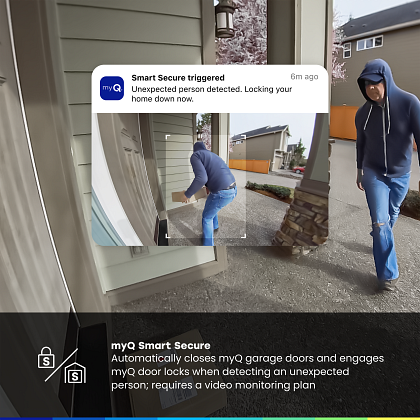
myQ Smart Secure (auto-locks doors/garage when people are detected)
Troubleshooting
No chime sound in wired mode? Check that wires are properly secured.
Can’t add to the app? Re-enter setup mode by holding reset until the LED glows solid blue.
Alternating blue/green LED? The doorbell is struggling to connect to Wi-Fi—ensure a strong Wi-Fi signal.
Blinking purple LED? Device is updating firmware (allow 10–15 minutes).
No video history? Requires a paid plan.
LED Status Indicators
Solid White – Powering up
Blinking Blue – Ready for setup
Solid Blue – Bluetooth connected
Alternating Blue/Green – Connecting to Wi-Fi
Solid Green – Connected / motion detected
Blinking Purple – Firmware update
Blinking Red – Temperature outside operating range
Warranty & Support
Backed by a 1-year limited warranty (only valid for authorized purchases in the US and Canada).
⚠ California Proposition 65 Warning: Product may expose you to chemicals, including lead, known to cause cancer or reproductive harm.
✅ In Summary: The Chamberlain myQ Video Doorbell MYQ-D49TXXBoffersu flexibility with both wired and wireless installation options, smart detection features, and reliable performance in a wide range of conditions. Paired with the myQ app, it’s a powerful way to stay connected to your front door.
Perfect — here’s the SEO-optimized FAQ section added to the blog write-up:
Frequently Asked Questions (FAQ)
Does the Chamberlain myQ Video Doorbell work with Alexa or Google Assistant?
The MYQ-D49TXXB integrates directly with the myQ app and supports third-party platforms, such as IFTTT. Direct support for Alexa, Google Assistant, or Apple HomeKit may be limited. Always check the official “Works with myQ” list before purchase.
Will the myQ Video Doorbell ring my existing chime?
Yes, if you use a wired installation with 16–24V AC wiring.
No, if you use wireless battery mode. In this case, you’ll need a myQ wireless chime accessory (sold separately).
Can I use the doorbell without a subscription?
Yes. Live video, motion alerts, and two-way audio are available without a plan. However, features like event recordings, AI detection, and detection zones require a myQ Video Monitoring Plan.
How long does the battery last?
Battery life depends on activity levels, motion sensitivity settings, and usage. Expect to recharge periodically; initial charging is recommended for 4–6 hours.
What Wi-Fi does the doorbell require?
The doorbell is compatible with only 2.4 GHz Wi-Fi networks. It will not connect to 5 GHz networks, so ensure your router broadcasts on the correct frequency.
Is the myQ Video Doorbell weatherproof?
Yes. It is designed for outdoor use, with an operating range of -4°F to 122°F, making it suitable for most climates.
What happens if the power goes out?
If installed with wiring, the doorbell will not function during an outage. Wireless (battery) installations remain operational until the battery drains, but won’t ring traditional chimes.
How do I reset the doorbell?
Wi-Fi Reset: Hold the reset button until the LED turns solid blue, then reconfigure the Wi-Fi in the app.
Factory Reset: Hold the reset button until the LED glows solid red, which clears all settings.
About Us
At Family Garage Door Repair of Charlotte, NC, we take pride in being a trusted, family-owned company that prioritizes the needs of our homeowners. Your garage door plays a significant role in protecting your home, enhancing convenience, and enhancing curb appeal — and our mission is to keep it functioning at its best with dependable, high-quality service.
Our team handles all types of residential garage door needs, including broken spring replacement, cable and roller repairs, opener installation, and complete door upgrades. Every project is approached with skill, care, and the use of top-grade products to ensure safety, reliability, and long-term performance.
We believe great service starts with honesty. That’s why we offer free estimates, explain every option clearly, and deliver solutions without hidden fees or unnecessary upselling. With us, you’ll always know exactly what to expect.
This customer-first approach has made us one of Charlotte’s most recommended garage door companies. Neighbors throughout the community choose Family Garage Door Repair because we combine professional expertise with genuine, neighborly care.
When you work with us, you’re choosing more than a service — you’re choosing a company that values integrity, quality workmanship, and your peace of mind.